

Get paid and withdraw
How your balance works, what Inflos deducts, and how to withdraw to your bank.
Your balances
The top of Seller Platform shows your money after platform fees:
- Available to withdraw: money you can withdraw now.
- Pending: earnings from orders you have sent that are not completed yet.
- In withdrawal: money you asked to withdraw that Inflos has not paid yet.
An order's earnings show under Pending once you mark it as sent.
When earnings become available
Earnings move from Pending to Available when the buyer marks the order Completed, or 3 days after tracking shows the order was delivered, if the buyer doesn't confirm it sooner.
If a buyer opens a dispute, the money for that order stays frozen until it is resolved.
What Inflos deducts
Inflos keeps a platform fee (the tariff) on each completed order. New sellers start at 10%, and sellers with more completed sales each week pay a lower rate. See the tiers in the Seller Policy.
- Order total
- S$140.00
- Platform fee (10%)
- − S$14.00
- Added to your balance
- S$126.00
Withdrawals to your bank are free.
Add your payout details (first time only)
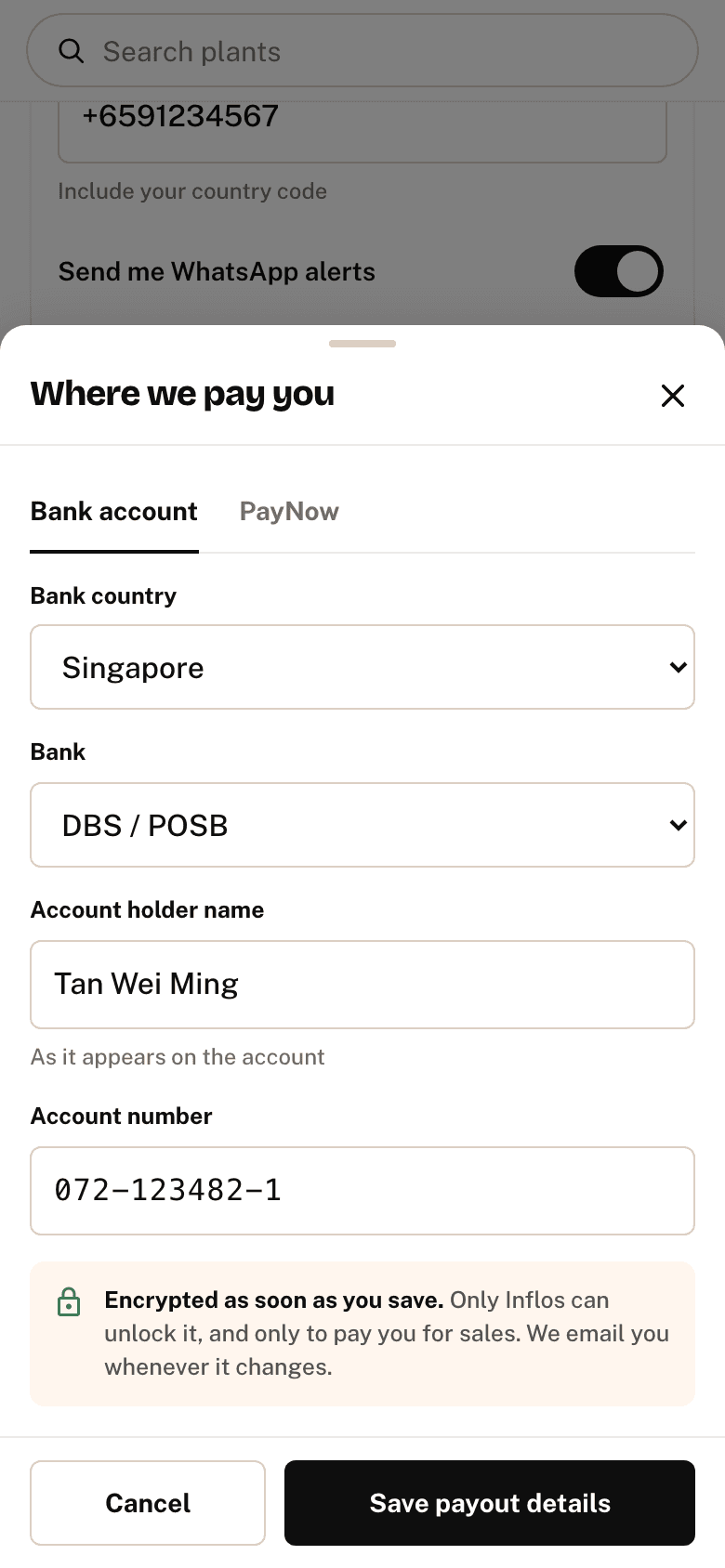
Before your first withdrawal, open the menu, tap Profile and addresses, then tap the Selling tab. Under Payouts, tap Add payout details and choose:
- Bank account: the country, your bank, the account holder name and the account number. Banks outside Singapore also need a SWIFT code, which is filled in for most banks.
- PayNow (Singapore only): your mobile number or business UEN
Then tap Save payout details.
Confirm it's you
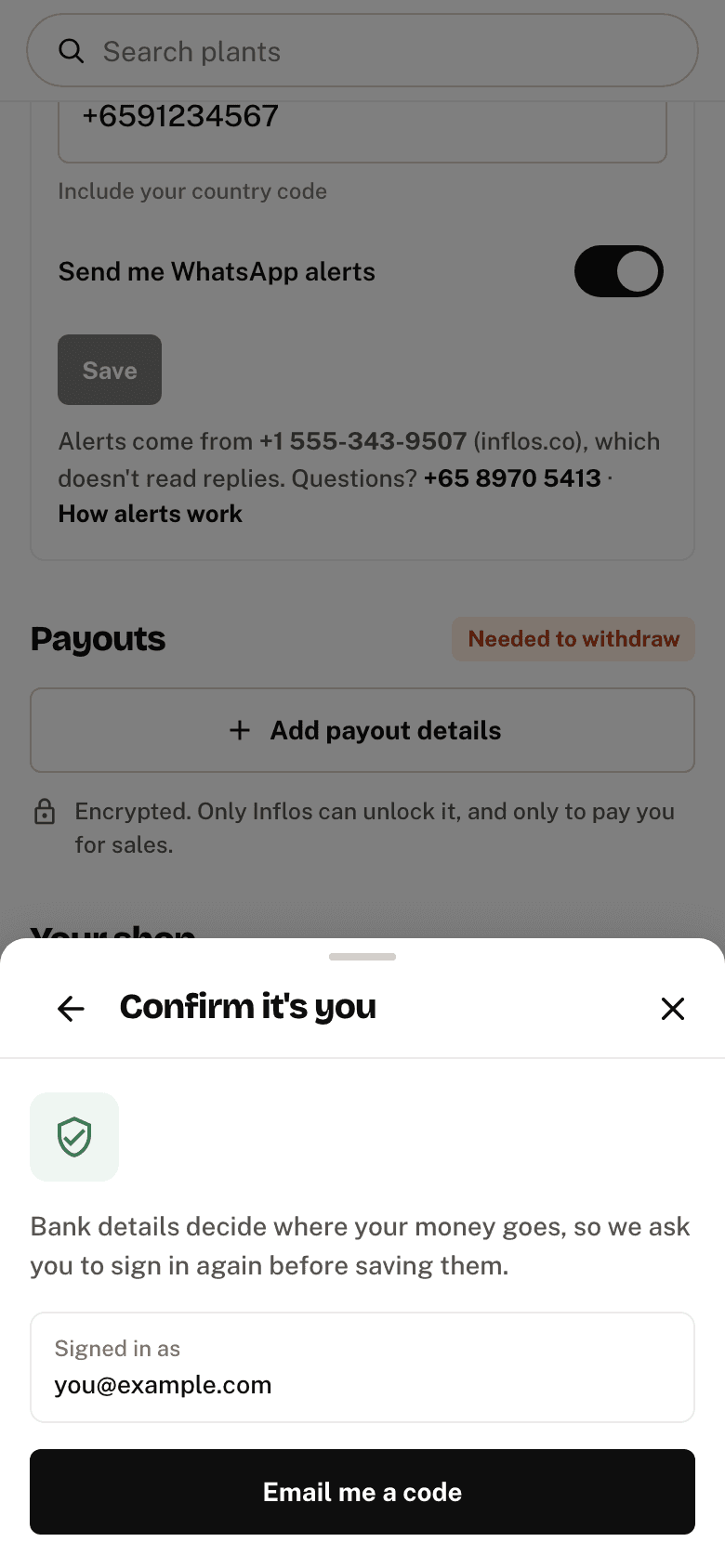
To save, you may be asked to sign in again with Google, your password, or a code we email you. That keeps your money safe if someone else gets into your account.
Your account number is encrypted as soon as you save, and only Inflos can unlock it to pay you. We email you every time your payout details change.
Check or change your payout details
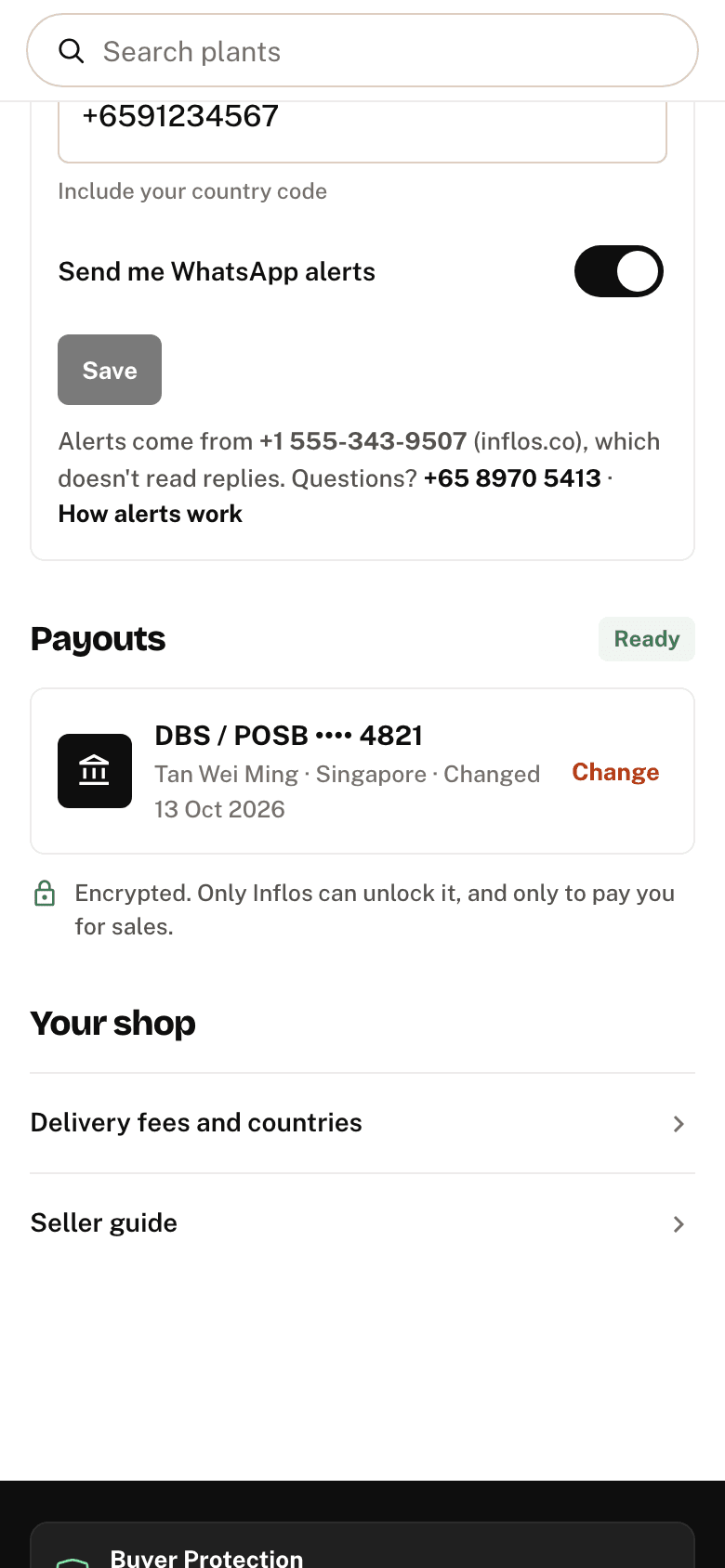
Saved details show your bank and the last 4 digits of the account, for example DBS / POSB •••• 4821, marked Ready. To change them, tap Change and enter the account number again. The full number is never shown again.
Withdraw to your bank
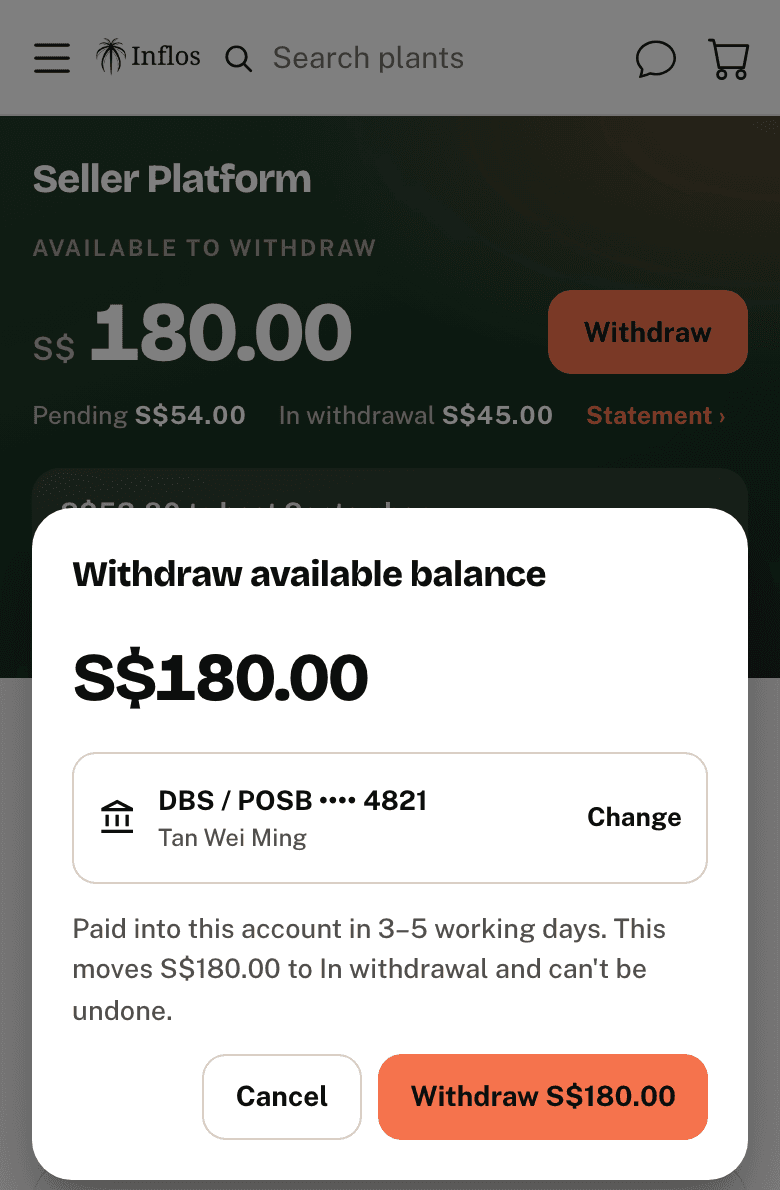
- Press Withdraw next to your available balance.
- Check the amount and press the button that shows it, for example Withdraw S$126.00.
The window shows the account the money goes to. Tap Change to use another one.
Your whole available balance is withdrawn at once, and you cannot cancel it. It moves to In withdrawal, and the money reaches your bank in 3–5 business days.
See your payout history
Press Statement under your balance on Seller Platform. It lists your earnings and withdrawals, newest first. Use Earnings or Withdrawals to show one kind only.
When Inflos pays a withdrawal, it shows Paid with the date and the transfer reference.
When payouts can be held
Inflos can hold part or all of your balance if you do not answer an admin query within 3 days, if a buyer complaint is unresolved, or during a chargeback or fraud check. After 7 days without a response, withdrawals may be paused.
Once the issue is resolved, held money is released on the next payout cycle.