

Create your first listing
Photos, plant details, price and delivery: every part of the Sell page explained.
Open the Sell page
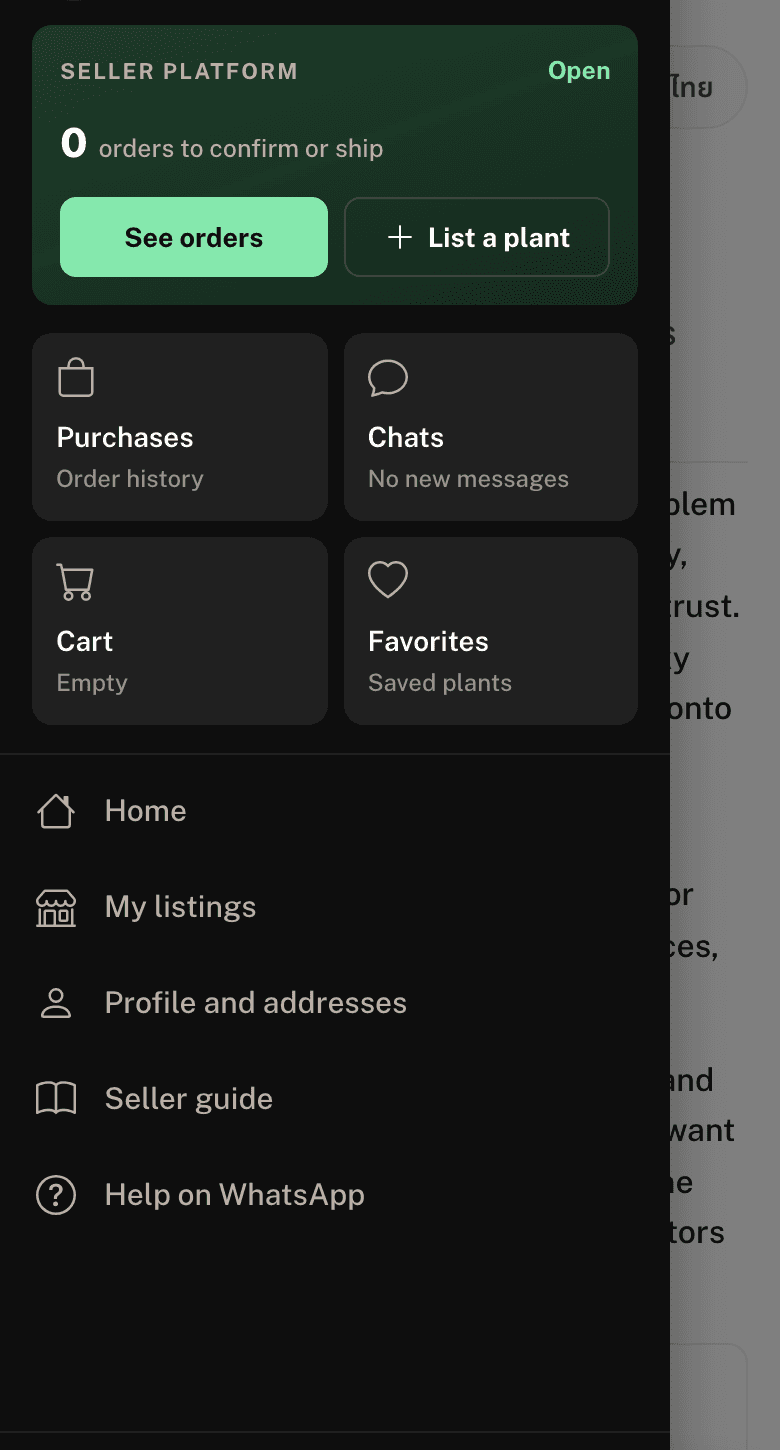
On your phone, tap the menu button at the top left. In the seller card, press List a plant. On a computer, press Sell in the top bar.
Add photos and a video
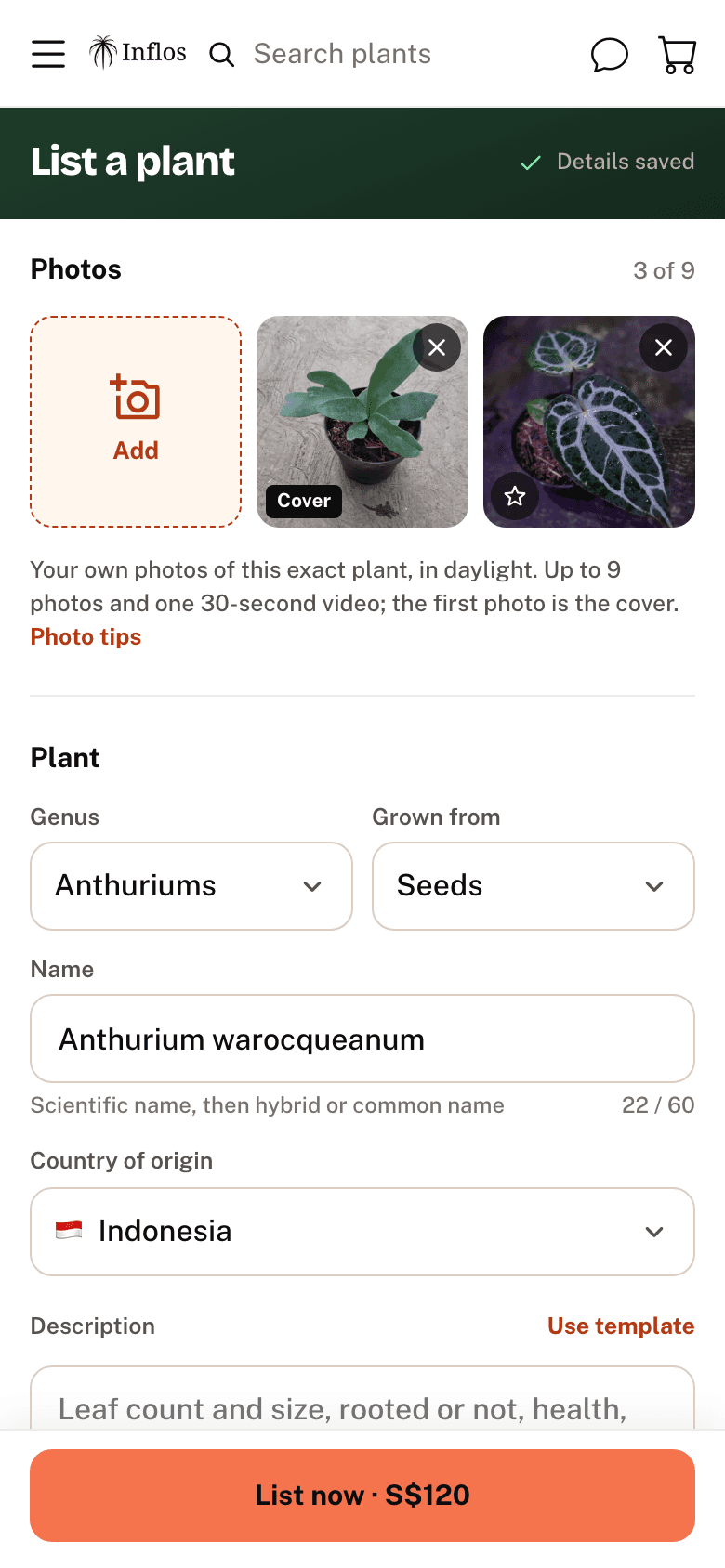
Tap Add to add up to 9 photos and one 30-second video. One photo is enough to list, but more photos help buyers decide.
- The first photo is the cover. Tap the star on another photo to make it the cover. On a computer you can also drag photos to change the order.
- Photograph the exact plant you are selling, in daylight.
- Show the top of the leaves, the underside, and the roots or node.
More tips in the picture guide.
Fill in the plant details
Under Plant:
- Genus: for example Anthurium, Alocasia or Hoya.
- Grown from: Seeds, Seeds (Self), Cuttings or Tissue Culture.
- Name (up to 60 characters): the scientific name, then any hybrid or common name, e.g. Anthurium warocqueanum or Anthurium Michelle × Carla.
- Country of origin.
- Description (up to 2,000 characters): leaf count and size, rooted or not, health, and anything else a buyer should know. Press Use template to start from a short checklist.
New to hybrid names? Read Reading Anthurium hybrid names.
Set the price
- Price: a whole number in your currency. Below it you see what you receive after the Inflos fee.
- Choose Fixed if the price is not negotiable, or Open to offers if buyers can make an offer.
- Turn on I have more than one if you have several of the same plant. The listing stays up after each sale.
Choose delivery
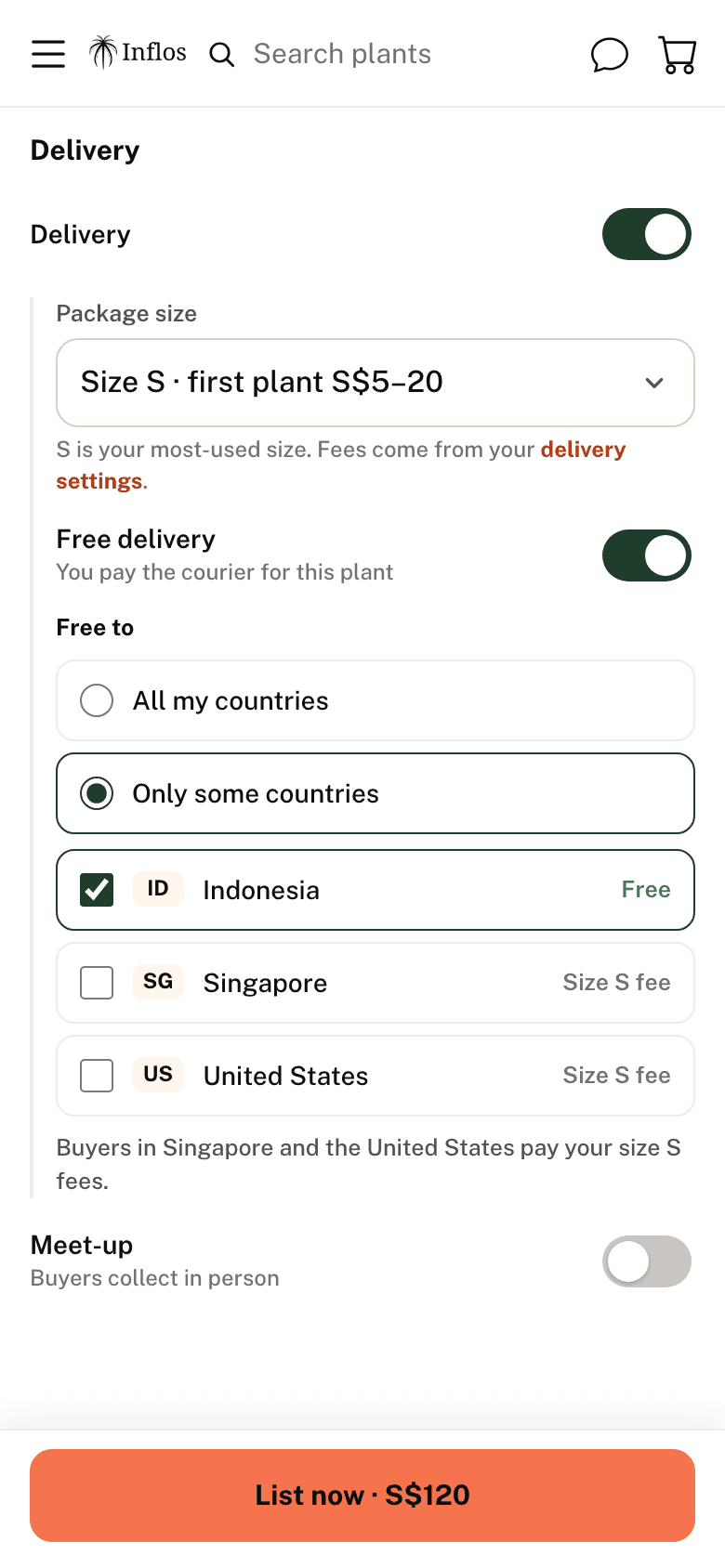
Under Delivery:
- Turn on Delivery and choose the Package size (S, M or L) the plant ships in. Each option shows your first-plant fee for that size. The fees come from your delivery settings.
- To ship this plant free, turn on Free delivery and set Free to: All my countries or Only some countries. You pay the courier. Buyers in the other countries pay your normal fee for the plant's size.
- Turn on Meet-up if buyers can collect in person. A meet-up-only plant doesn't show to buyers browsing by delivery country.
You need delivery, meet-up or both.
Publish and manage
Press List now. The button shows your price, e.g. List now · S$45. If something is missing, the button tells you what to fill in. Your plant goes live straight away.
To change it later, open the menu, tap My listings and open the plant. Press Edit listing, make your changes, and press the save button, e.g. Save 2 changes. On the same page you can press Mark as sold or Delete listing.